Invoice
How to Make an Invoice Online for Free: A Simple Step-by-Step Guide
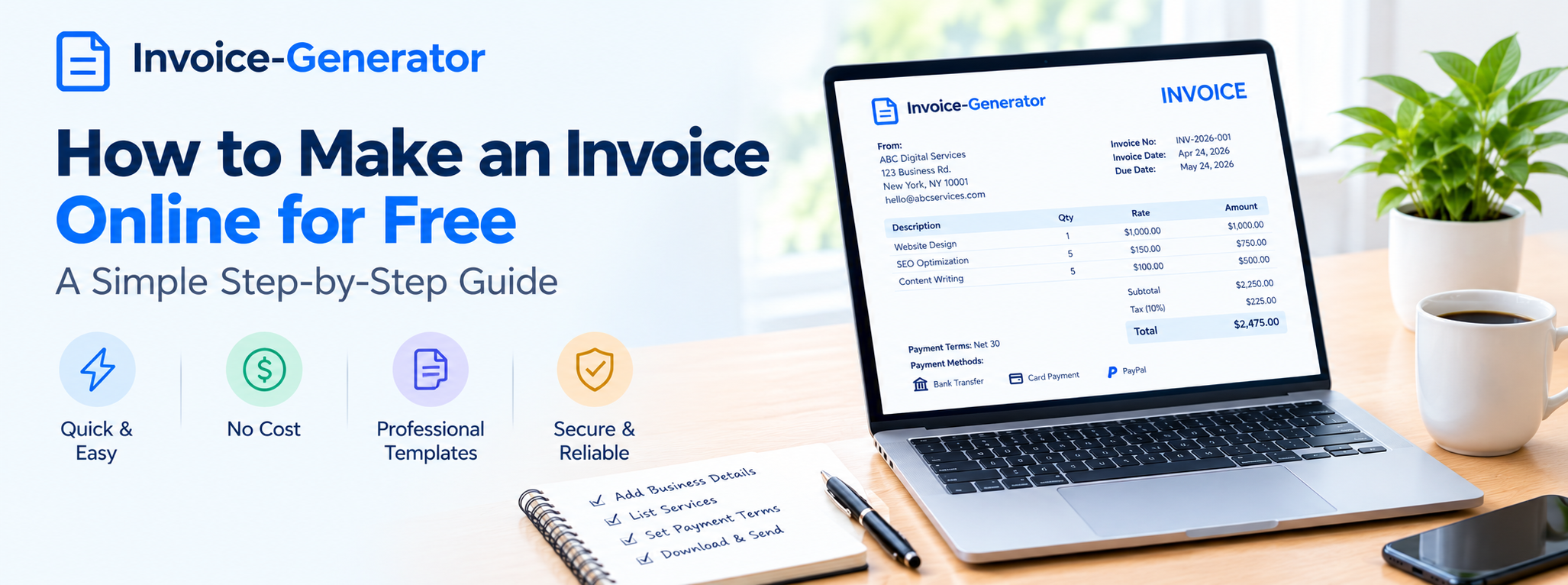
Creating an invoice does not need to take hours or require expensive accounting software. If you run a small business, freelance, consult, or provide professional services, you can create a professional invoice online in just a few minutes.
An online invoice should do one important job well: tell your customer what they owe, why they owe it, when payment is due, and how they can pay.
In this guide, we'll explain how to make an invoice online for free, what information to include, how to avoid common mistakes, and when an online invoice generator makes sense for your business.
What Is an Online Invoice?
An online invoice is a digital version of a traditional invoice. Instead of creating a document from scratch, you enter your business and customer information into an online invoice tool, add your products or services, calculate the total, and generate the finished invoice.
Depending on the tool you use, you may be able to download the invoice, print it, or send it to your customer electronically.
Online invoices are commonly used by:
- Freelancers
- Consultants
- Contractors
- Small businesses
- Agencies
- Service providers
- Independent professionals
- Online businesses
The advantage is simple: you can create an invoice wherever you have access to the internet without designing the document yourself.
How to Make an Invoice Online for Free
Creating an online invoice is usually a straightforward process.
Step 1: Choose an Online Invoice Generator
Start with an invoice generator that allows you to create a professional invoice without building a layout from scratch.
Look for a tool that lets you add your business details, customer information, line items, taxes, discounts, payment terms, and other necessary information.
For simple invoicing needs, you may not need a full accounting platform.
Step 2: Enter Your Business Information
Add the information that identifies your business.
Depending on your situation, this may include:
- Business name
- Business address
- Email address
- Phone number
- Website
- Applicable tax or registration information
Use consistent business information across your invoices so customers can easily identify who issued the invoice.
Step 3: Add Your Customer's Information
Enter the person or company you are billing.
Typically, this includes:
- Customer name
- Company name, if applicable
- Billing address
- Email address
- Other required billing information
For business customers, check the spelling of the company name carefully. An incorrect billing name can cause problems for the customer's accounting department.
Step 4: Add an Invoice Number
Give the invoice a unique number.
For example:
INV-001
Your next invoice could be:
INV-002
You can also use a year-based system such as:
INV-2026-001
There is no single numbering format that every business must use. The important thing is to use a consistent system and avoid duplicate invoice numbers.
Step 5: Add the Invoice Date
Enter the date the invoice was issued.
The invoice date can also be important when payment terms are calculated.
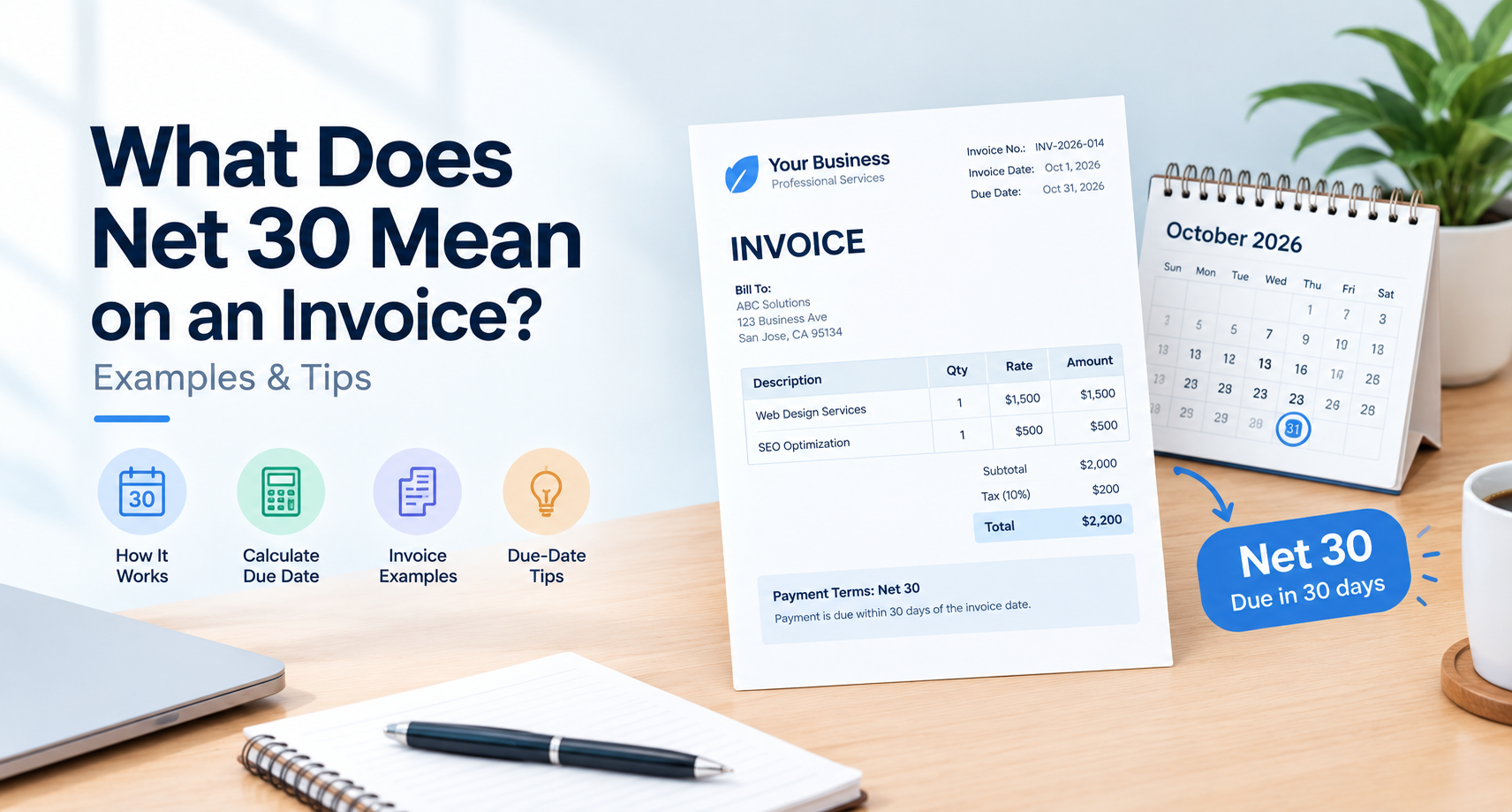
For example, if your agreed terms are Net 30, the payment due date is generally based on the applicable invoice date and agreement.
Step 6: Add Your Products or Services
This is one of the most important sections of the invoice.
Instead of writing something vague such as:
Marketing Services — $1,000
provide enough information for the customer to understand the charge.
For example:
| Description | Quantity | Rate | Amount |
|---|---|---|---|
| SEO consultation | 2 hours | $150 | $300 |
| Website optimization | 5 pages | $100 | $500 |
| Content review | 2 pages | $100 | $200 |
The customer can immediately see what was provided and how the total was calculated.
Step 7: Add Discounts and Taxes
If you offered a discount, show it separately.
If your business is required to charge tax, include the applicable tax according to the rules for your location and transaction.
A basic calculation may look like:
Subtotal - Discount + Tax = Total
Tax rules vary by country, state, province, and business situation, so do not assume that the same tax treatment applies everywhere.
Step 8: Add the Payment Due Date
Tell the customer when payment is expected.
Common payment terms include:
- Due on receipt
- Net 15
- Net 30
- Net 60
The payment terms should match what you agreed with your customer.
Step 9: Add Payment Instructions
Explain how the customer can pay.
Depending on your business, you might accept:
- Bank transfer
- Credit or debit card
- Online payment
- Check
- Other agreed payment methods
If you provide online payment, make the payment process as straightforward as possible.
Step 10: Review and Send the Invoice
Before sending the invoice, check every important detail.
Make sure:
- The invoice number is correct
- The customer information is accurate
- The services or products are clearly described
- Quantities and rates are correct
- Taxes are calculated correctly
- Discounts are included
- The total is correct
- The due date is correct
- Payment instructions are included
Once everything looks correct, generate the invoice and send it to your customer.
What Information Should an Online Invoice Include?
A professional online invoice should generally include the following information:
| Invoice Element | Purpose |
|---|---|
| Business name | Identifies the seller |
| Customer information | Identifies who is being billed |
| Invoice number | Helps track the invoice |
| Invoice date | Shows when it was issued |
| Due date | Shows when payment is expected |
| Product/service description | Explains the charge |
| Quantity | Shows how much was provided |
| Unit price | Shows the price per item or unit |
| Subtotal | Shows the amount before applicable additions |
| Tax | Shows applicable tax |
| Discount | Shows any reduction in price |
| Total | Shows the amount the customer owes |
| Payment instructions | Explains how to pay |
| Payment terms | Defines when payment is due |
Not every invoice will require every field. Requirements can vary depending on the country, transaction, business type, and applicable tax rules.
Can I Create an Invoice Online Without Paying?
Yes, you can create a basic invoice online without paying for expensive invoicing software.
For a freelancer or small business that only needs straightforward invoices, a free online invoice generator may provide everything necessary to create and download a professional invoice.
However, "free" does not mean every invoicing platform offers the same features.
Before choosing a tool, check whether it allows you to:
- Create invoices without a subscription
- Customize business information
- Add multiple line items
- Add taxes and discounts
- Assign invoice numbers
- Download the completed invoice
- Save or reuse invoice information
- Add payment instructions
If you need advanced bookkeeping, expense management, inventory, recurring billing, or financial reporting, you may eventually need dedicated accounting software.
Is an Online Invoice Better Than a Word or Excel Invoice?
It depends on how you manage your business.
A spreadsheet or document can work for a business that creates only a few invoices. However, creating each invoice manually can become repetitive and increases the possibility of calculation or formatting mistakes.
An online invoice generator can be more convenient because the invoice structure is already prepared.
Online invoice generator
Best for:
- Fast invoice creation
- Freelancers
- Small businesses
- Occasional invoices
- Professional-looking invoices
- Reducing manual formatting
Spreadsheet
Best for:
- Businesses that already maintain financial spreadsheets
- Custom calculations
- Businesses comfortable managing their own templates
Accounting software
Best for:
- Businesses with more complex financial needs
- Recurring billing
- Expense tracking
- Payment tracking
- Financial reporting
- Larger customer or transaction volumes
There is no universal best option. Choose the simplest method that fits the way your business actually operates.
How to Make an Online Invoice Look Professional
A professional invoice does not need complicated graphics or a large amount of design.
Focus on clarity.
Keep the Invoice Easy to Scan
The customer should quickly find:
Total amount → Due date → Payment instructions
Use Clear Service Descriptions
Avoid descriptions that leave the customer guessing what they are being charged for.
Separate Taxes and Discounts
Showing these separately makes the calculation easier to understand.
Use Consistent Invoice Numbers
A predictable numbering system makes invoices easier to track.
Avoid Unnecessary Information
An invoice should contain useful billing information, not unrelated marketing content.
Common Mistakes When Creating an Invoice Online
Even with an online invoice generator, review the invoice before sending it.
Incorrect Customer Information
Double-check names, company details, and billing information.
Missing Due Date
Customers should not have to contact you to ask when payment is expected.
Incorrect Total
Check quantities, rates, taxes, discounts, and the final calculation.
Vague Descriptions
A customer should understand what each line item represents.
Duplicate Invoice Numbers
Using the same invoice number for multiple invoices can make your records difficult to manage.
Missing Payment Instructions
Tell customers how they can pay instead of assuming they already know.
Incorrect Tax Information
Tax requirements can vary by jurisdiction. Verify what applies to your business rather than copying tax information from another invoice.
How Quickly Can I Create an Invoice Online?
A simple invoice can often be created in just a few minutes when you already have the necessary customer and billing information.
The process is generally:
Enter details → Add products/services → Calculate total → Add payment terms → Review → Generate
The first invoice may take longer because you need to enter your business information. Future invoices can be faster if your invoicing tool allows you to reuse or prefill information.
Can Freelancers Create Invoices Online?
Yes. Online invoicing can be particularly useful for freelancers because they often bill clients for individual projects, hourly work, retainers, or milestones.
A freelancer invoice may include:
- Freelancer name or business name
- Client information
- Project name
- Services provided
- Hours or quantity
- Rate
- Total
- Payment terms
- Payment instructions
For example, a freelance graphic designer might invoice for:
Logo design — 1 project — $750
while a consultant might bill:
Business consultation — 8 hours × $125 — $1,000
The invoice should accurately describe the work covered by the agreed billing arrangement.
Can Small Businesses Use a Free Invoice Generator?
Yes. A free invoice generator can be suitable for small businesses with relatively simple invoicing requirements.
It can be useful for businesses that need to create invoices for:
- One-time projects
- Service appointments
- Consulting work
- Freelance projects
- Product sales
- Client retainers
- Contract work
As the business grows, its invoicing requirements may become more complex. At that point, integrating invoicing with accounting, payment processing, or bookkeeping workflows may make more sense.
Frequently Asked Questions
What is the easiest way to make an invoice online?
The easiest approach for a basic invoice is to use an online invoice generator. Enter your business and customer information, add your products or services, calculate the total, specify payment terms, review the information, and generate the invoice.
Can I make an invoice online for free?
Yes. Basic invoices can be created online without paying for full accounting software. The available features and limitations depend on the invoice tool you choose.
How do I make an invoice for a customer?
Enter your business information and the customer's billing details, assign a unique invoice number, list the products or services provided, add applicable taxes or discounts, calculate the total, specify payment terms, and provide payment instructions.
Can I create an invoice without accounting software?
Yes. You can create a basic invoice using an online invoice generator, spreadsheet, or document template. Accounting software becomes more useful when you need additional financial management features.
What should I put on an online invoice?
At minimum, include identifying information for your business and customer, a unique invoice number, invoice date, description of the products or services, amounts, applicable taxes, total amount due, payment terms, and payment instructions.
Can a freelancer make an invoice online?
Yes. Freelancers can use online invoice generators to bill clients for hourly work, projects, retainers, or other agreed services.
How do I create an invoice without a template?
You can create an invoice from a blank document or spreadsheet, but an online invoice generator can save time by providing the invoice structure for you.
How do I send an invoice after creating it online?
Depending on the tool you use, you may be able to download the completed invoice and send it to your customer by email or share it through another supported method.
Do online invoices need to be signed?
Not every invoice requires a signature. Whether a signature is necessary depends on the transaction, contract, industry, and applicable legal or administrative requirements.
Create a Free Invoice Online
You do not need complicated software to create a basic professional invoice.
With an online invoice generator, you can enter your business information, add your customer's details, describe the products or services, calculate the amount due, add payment terms, and generate an invoice ready to send.
The most important thing is not how fancy the invoice looks. It is whether the customer can clearly understand the charge and know exactly how and when to pay it.
If you need a quick way to create an invoice online, use Invoice-Generator to create your invoice without starting from a blank document.
Ready to send your next invoice?
Free, no sign-up, print-ready PDF in under a minute.