What Is an Invoice? Types, Examples, and How Invoicing Works
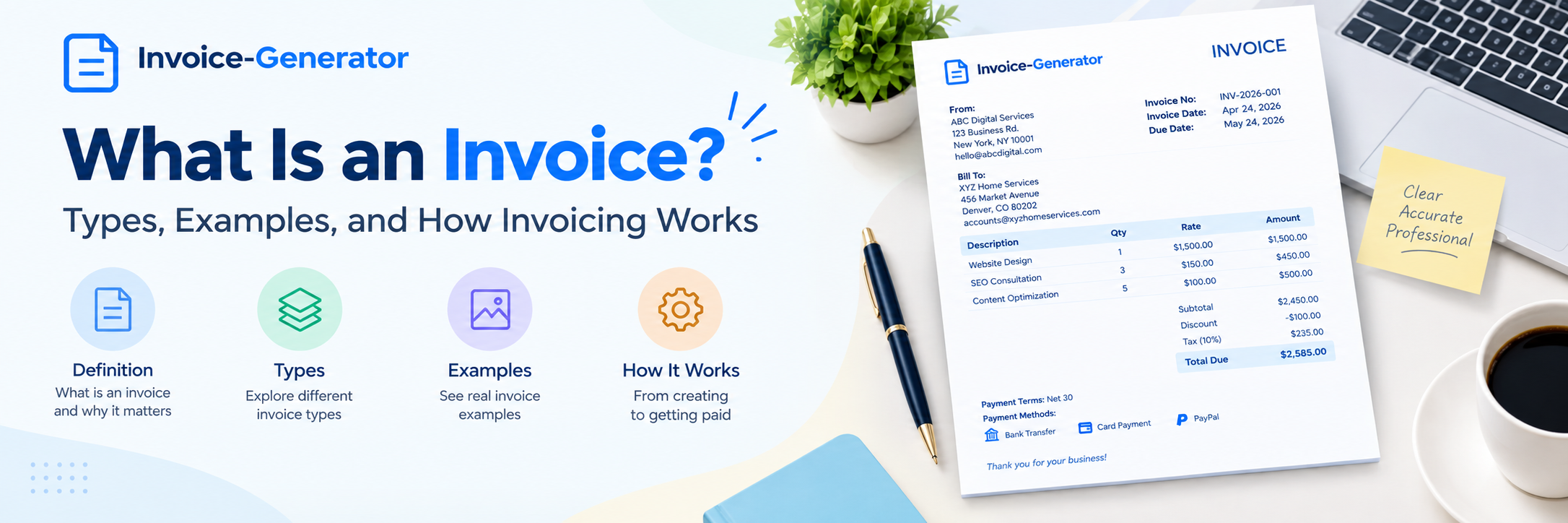
An invoice is a document a business or individual sends to a customer to request payment for products or services.
It tells the customer what they are being charged for, how much they owe, when payment is due, and how to pay.
Invoices are used by businesses of all sizes, from freelancers and independent contractors to large companies. They can be created for a one-time service, a product sale, a recurring subscription, or a project completed in stages.
In this guide, you'll learn what an invoice is, why businesses use invoices, the different types of invoices, what an invoice looks like, and how the invoicing process works from start to finish.
What Is an Invoice?
An invoice is a written or electronic request for payment issued by a seller to a buyer after providing goods or services, or according to an agreed billing arrangement.
A typical invoice identifies:
-
The seller or service provider
-
The customer
-
The products or services provided
-
The amount charged
-
Applicable taxes or discounts
-
The total amount due
-
The payment due date
-
Payment terms and instructions
-
A unique invoice number
For example, a web designer who completes a $1,500 website project can send the client an invoice showing the work completed, the $1,500 charge, the payment due date, and instructions for making the payment.
Simple definition of an invoice
An invoice is a document that tells a customer how much they owe a business for products or services and provides the information needed to make the payment.
What Is the Purpose of an Invoice?
The main purpose of an invoice is to request and document payment for a business transaction.
However, invoices serve several purposes.
1. Requesting Payment
The most obvious purpose is to tell the customer that payment is due.
2. Explaining the Charge
An invoice shows what the customer is paying for instead of simply presenting a total amount.
3. Creating a Transaction Record
Both the business and customer can keep the invoice as a record of the transaction.
4. Tracking Payments
A unique invoice number makes it easier to identify which invoices have been paid and which are still outstanding.
5. Supporting Accounting Records
Invoices can help businesses maintain records of sales and income.
6. Supporting Tax and Compliance Requirements
Depending on the jurisdiction and transaction, invoices may need to contain specific information for tax or regulatory purposes.
The exact requirements vary by country, state, province, business type, and transaction.
How Does Invoicing Work?
The invoicing process is usually straightforward.
A typical process looks like this:
Provide product or service → Create invoice → Send invoice → Customer reviews invoice → Customer pays → Business records payment
Let's look at each stage.
Step 1: Provide the Product or Service
The business provides the agreed product or service to the customer.
For a service business, this could be:
-
Website development
-
Consulting
-
Plumbing
-
Graphic design
-
Marketing
-
Photography
-
Legal services
For a product business, it could be the sale and delivery of physical goods.
Step 2: Create the Invoice
The business creates an invoice containing the relevant transaction information.
This normally includes the seller, customer, invoice number, dates, products or services, prices, applicable taxes, total amount, and payment information.
Step 3: Send the Invoice
The invoice is sent to the customer through an agreed method.
Common options include:
-
Email
-
Online invoicing platform
-
Customer portal
-
Printed invoice
-
Accounting software
Step 4: Customer Reviews the Invoice
The customer checks the invoice to make sure the products or services, amounts, and payment terms are correct.
If something is unclear, the customer may contact the business before making payment.
Step 5: Customer Makes Payment
The customer pays using one of the payment methods provided on the invoice.
The payment could be made by:
-
Bank transfer
-
Card
-
Online payment
-
Check
-
Another agreed payment method
Step 6: Business Records the Payment
Once payment is received, the business updates its records.
Depending on the invoicing or accounting system, the invoice may then be marked as paid.
What Does an Invoice Look Like?
There is no single design that every invoice must use.
However, a professional invoice generally has a simple structure.
Example
ABC Digital Services
123 Main Street
Austin, TX 78701
hello@abcdigital.com
Invoice Number: INV-2026-015
Invoice Date: September 15, 2026
Due Date: October 15, 2026
Bill To:
XYZ Home Services
456 Market Avenue
Denver, CO 80202
| Description | Quantity | Rate | Amount |
|---|---|---|---|
| Website SEO audit | 1 | $500 | $500 |
| Website optimization | 5 pages | $150 | $750 |
| SEO consultation | 2 hours | $150 | $300 |
Subtotal: $1,550
Tax: Applicable tax
Total Due: Calculated total
Payment Terms: Net 30
Payment Instructions: Pay by bank transfer or the provided online payment option.
This is a simplified example. The information required on an invoice depends on the applicable rules and the nature of the transaction.
What Information Does an Invoice Contain?
A professional invoice commonly contains the following information:
| Information | Why It Matters |
|---|---|
| Business name | Identifies the seller |
| Customer name | Identifies the buyer |
| Invoice number | Identifies the individual invoice |
| Invoice date | Shows when the invoice was issued |
| Due date | Shows when payment is expected |
| Product or service description | Explains the charge |
| Quantity | Shows the amount of goods, hours, or units |
| Rate or unit price | Shows the price |
| Subtotal | Shows the amount before applicable additions |
| Taxes | Shows applicable tax |
| Discounts | Shows reductions in price |
| Total amount | Shows what the customer owes |
| Payment terms | Explains when payment is due |
| Payment instructions | Explains how to pay |
For a detailed explanation of each element, see our guide on what an invoice should include.
What Are the Different Types of Invoices?
Not every invoice is used for the same purpose.
Businesses may use different invoice types depending on the transaction, payment arrangement, tax requirements, and stage of a project.
Here are some of the most common types.
1. Standard Invoice
A standard invoice is a general invoice used to request payment for products or services.
For example, a freelance designer may complete a project and send a standard invoice for the agreed project price.
Common use: Everyday sales and services.
2. Commercial Invoice
A commercial invoice is commonly used in international trade.
It provides information about a shipment and transaction and can be used by customs authorities to assess the shipment.
Information may include:
-
Seller
-
Buyer
-
Description of goods
-
Quantity
-
Value
-
Country of origin
-
Shipping information
The exact requirements depend on the shipment and countries involved.
Common use: International shipments and customs documentation.
3. Tax Invoice
A tax invoice includes information relevant to applicable taxes.
Depending on the jurisdiction, this can include tax registration numbers, tax rates, tax amounts, and other required information.
Common use: Transactions where tax invoicing requirements apply.
4. Pro Forma Invoice
A pro forma invoice is generally a preliminary document that provides an estimated or proposed transaction amount before a sale is finalized.
It can help a buyer understand expected charges before the final invoice is issued.
A pro forma invoice is not necessarily the same as a final request for payment.
Common use: Quotes, international trade, and preliminary transactions.
5. Recurring Invoice
A recurring invoice is issued repeatedly for an ongoing product or service.
Examples include:
-
Monthly software subscriptions
-
Website maintenance
-
Monthly consulting
-
Retainer services
-
Memberships
Common use: Repeated billing arrangements.
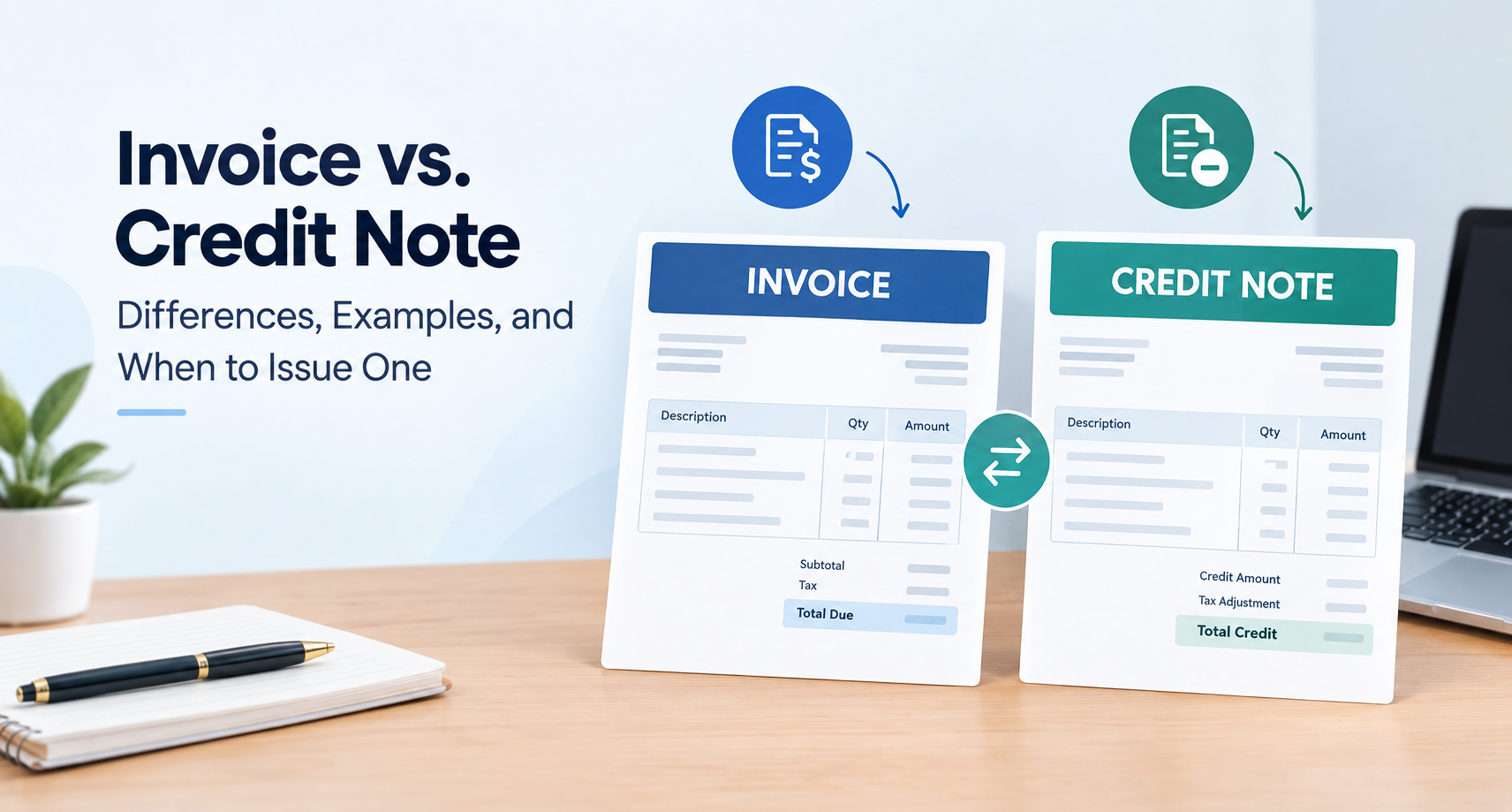
6. Credit Invoice or Credit Note
A credit document is used to reduce the amount previously invoiced, such as when a customer receives a refund, return, discount, or price adjustment.
Terminology varies by country and accounting system.
Common use: Reducing a previously invoiced amount.
7. Debit Invoice or Debit Note
A debit document can be used to increase the amount previously invoiced when an additional amount becomes payable.
The exact terminology and accounting treatment depend on the jurisdiction and transaction.
Common use: Additional charges or adjustments.
8. Interim Invoice
An interim invoice is issued during an ongoing project rather than waiting until the entire project is finished.
For example, a construction company may bill a customer at different stages of a long project.
Common use: Long-term or milestone-based projects.
9. Final Invoice
A final invoice is issued when the work or billing period has reached its final stage.
It may summarize the remaining balance after previous interim or milestone invoices.
Common use: Projects completed in stages.
10. Past-Due Invoice
A past-due invoice is an invoice that has passed its payment deadline without being paid.
For example:
Due Date: September 1
Today: September 15
Status: Past due
Businesses may follow up with the customer and apply late-payment terms when allowed by their agreement and applicable law.
Invoice Types at a Glance
| Invoice Type | Common Purpose |
|---|---|
| Standard invoice | General billing |
| Commercial invoice | International trade |
| Tax invoice | Tax-related transactions |
| Pro forma invoice | Preliminary transaction information |
| Recurring invoice | Repeated billing |
| Credit document | Reducing an amount |
| Debit document | Increasing an amount |
| Interim invoice | Billing during a project |
| Final invoice | Final project billing |
| Past-due invoice | Invoice that has not been paid by the due date |
Not every business will need all of these invoice types.
Invoice vs. Receipt: What Is the Difference?
An invoice and a receipt serve different purposes.
| Invoice | Receipt |
|---|---|
| Requests payment | Confirms payment |
| Usually issued before payment | Usually issued after payment |
| Shows amount owed | Shows amount paid |
| May include payment terms | Usually confirms transaction/payment |
Simple answer
An invoice asks the customer to pay. A receipt confirms that payment has been made.
A business may issue both documents for the same transaction.
Invoice vs. Bill: What Is the Difference?
The words invoice and bill are often used to describe the same payment request.
In many everyday business situations, the difference is mainly terminology.
For example:
A business sends an invoice to its customer.
The customer might say:
We received your bill.
Both can refer to the amount the customer is expected to pay.
However, specific terminology can vary between industries, countries, and accounting systems.
When Should You Send an Invoice?
The right time to send an invoice depends on your agreement with the customer and the type of transaction.
You may invoice:
-
After completing a service
-
When a product is delivered
-
At the beginning of a billing period
-
At a project milestone
-
On a recurring schedule
-
According to agreed payment terms
For a project, the contract may specify exactly when invoices should be issued.
For recurring services, invoices may be sent on a fixed schedule such as monthly.
The important point is to make the billing schedule clear before work begins.
Who Uses Invoices?
Invoices are used across many industries.
Freelancers
Freelancers can invoice clients for projects, hourly work, retainers, or milestones.
Contractors
Contractors can invoice for labor, materials, services, and project stages.
Consultants
Consultants may invoice based on hours, projects, retainers, or agreed deliverables.
Small Businesses
Small businesses use invoices to bill customers for products and services.
Agencies
Marketing, design, development, and other agencies commonly invoice clients for ongoing or project-based work.
Product Businesses
Businesses selling products can use invoices to document sales and request payment.
Why Are Invoices Important for Small Businesses?
Invoices are more than payment requests.
They help create a clear record of business transactions.
A consistent invoicing process can help a small business:
-
Track money owed
-
Identify unpaid invoices
-
Organize sales records
-
Communicate charges clearly
-
Maintain financial records
-
Follow agreed payment terms
-
Reduce billing confusion
A well-organized invoice system becomes increasingly useful as the number of customers and transactions grows.
What Happens If a Customer Does Not Pay an Invoice?
If an invoice reaches its due date without payment, the business can review the payment status and follow up with the customer.
A typical process may be:
Invoice sent → Due date arrives → Payment not received → Reminder sent → Customer contacted → Payment received or further action taken
The appropriate next step depends on the contract, payment terms, business relationship, and applicable law.
If your agreement includes a late-payment fee, make sure it is communicated clearly and is permitted under the applicable rules.
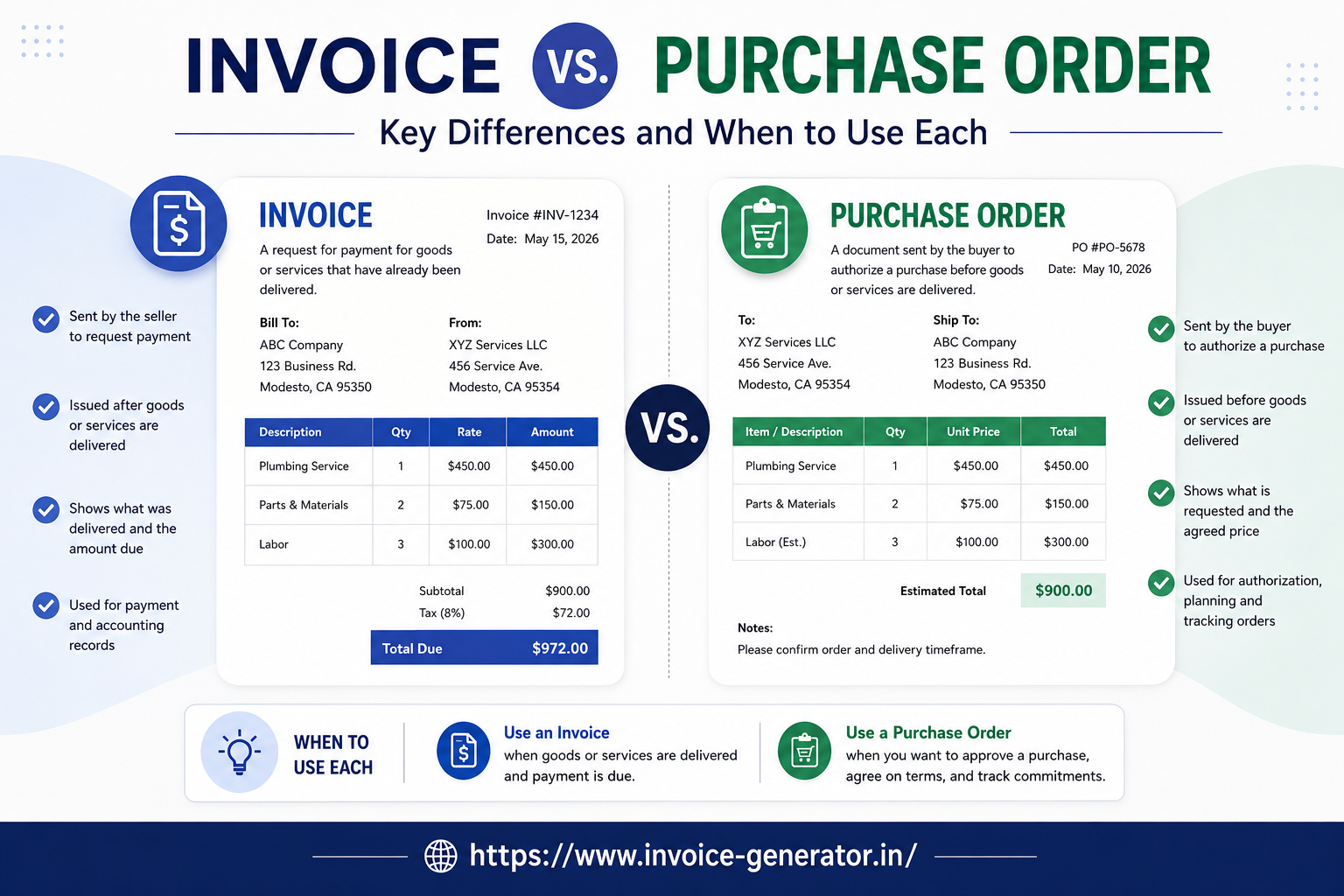
What Is the Difference Between an Invoice and an Estimate?
An estimate and an invoice are not the same thing.
An estimate generally tells a customer what a product or service is expected to cost before the work is completed or the sale is finalized.
An invoice generally requests payment for an actual transaction or agreed billing milestone.
Simple comparison
Estimate: “This is what the work is expected to cost.”
Invoice: “This is the amount you are being asked to pay.”
The two documents can be used at different stages of the same customer relationship.
Can You Create an Invoice Online?
Yes.
Businesses can create invoices using:
-
Online invoice generators
-
Accounting software
-
Spreadsheets
-
Word-processing tools
-
Invoice templates
For simple billing needs, an online invoice generator can be a convenient option because it provides a ready-to-use structure.
You enter the relevant information, review the calculations, and generate the invoice.
What Makes a Good Invoice?
A good invoice does not need an elaborate design.
It should be:
Clear
The customer can easily understand what they are being charged for.
Accurate
The names, dates, quantities, prices, taxes, and totals are correct.
Complete
The invoice contains the relevant information required for the transaction.
Consistent
The business uses a consistent numbering and formatting system.
Easy to Pay
The customer can quickly understand how to make the payment.
The best invoice is usually the one that communicates the necessary information without unnecessary clutter.
Common Invoice Terms You Should Know
Understanding a few basic invoicing terms can make the process easier.
Invoice Number
A unique identifier assigned to an invoice.
Invoice Date
The date the invoice is issued.
Due Date
The date payment is expected.
Subtotal
The amount before applicable taxes, discounts, or additional charges.
Tax
An applicable government-imposed charge on the transaction.
Total
The final amount the customer owes.
Payment Terms
The agreed conditions for when and how payment should be made.
Outstanding Invoice
An invoice that has not yet been paid.
Overdue Invoice
An invoice that has passed its due date without payment.
Recurring Invoice
An invoice issued repeatedly for an ongoing service or product.
Frequently Asked Questions About Invoices
What is an invoice in simple words?
An invoice is a document that tells a customer what they owe a business for products or services and provides information about when and how to pay.
What is the main purpose of an invoice?
The main purpose of an invoice is to request payment and provide a record of the transaction.
How does an invoice work?
A business provides a product or service, creates an invoice, sends it to the customer, and receives payment according to the agreed payment terms.
What are the most common types of invoices?
Common types include standard invoices, commercial invoices, tax invoices, pro forma invoices, recurring invoices, credit documents, debit documents, interim invoices, final invoices, and past-due invoices.
What is an invoice example?
A basic invoice example includes the seller's information, customer's information, invoice number, invoice date, due date, product or service descriptions, quantities, prices, taxes or discounts, total amount, and payment instructions.
Who can create an invoice?
Businesses, freelancers, contractors, consultants, and other individuals or organizations providing products or services may create invoices when appropriate.
Can I create an invoice without accounting software?
Yes. You can create a basic invoice using an online invoice generator, spreadsheet, document template, or other invoicing tool.
Is an invoice the same as a receipt?
No. An invoice generally requests payment, while a receipt generally confirms that payment has been received.
Is an invoice the same as a bill?
The terms are often used interchangeably in everyday business, although terminology can vary depending on the context.
When should I send an invoice?
You should send an invoice according to your agreed billing arrangement. This may be after delivering a product or service, at a project milestone, at the start of a billing period, or on a recurring schedule.
Create an Invoice Online
An invoice is a simple but important part of doing business.
Whether you are a freelancer sending your first client invoice or a small business managing hundreds of transactions, the basic purpose remains the same: clearly document what was provided and tell the customer what they need to pay.
Once you understand the different invoice types and how the invoicing process works, creating an invoice becomes much easier.
If you need a simple way to create a professional invoice, Invoice-Generator lets you create an invoice online without starting from a blank document.
Add your business information, customer details, products or services, prices, applicable taxes, payment terms, and payment instructions, then review the invoice before sending it.
A clear invoice makes the payment process easier for both the business and the customer.
Ready to send your next invoice?
Free, no sign-up, print-ready PDF in under a minute.