Invoice
How to Invoice Clients by the Hour: Rates, Hours, and Examples
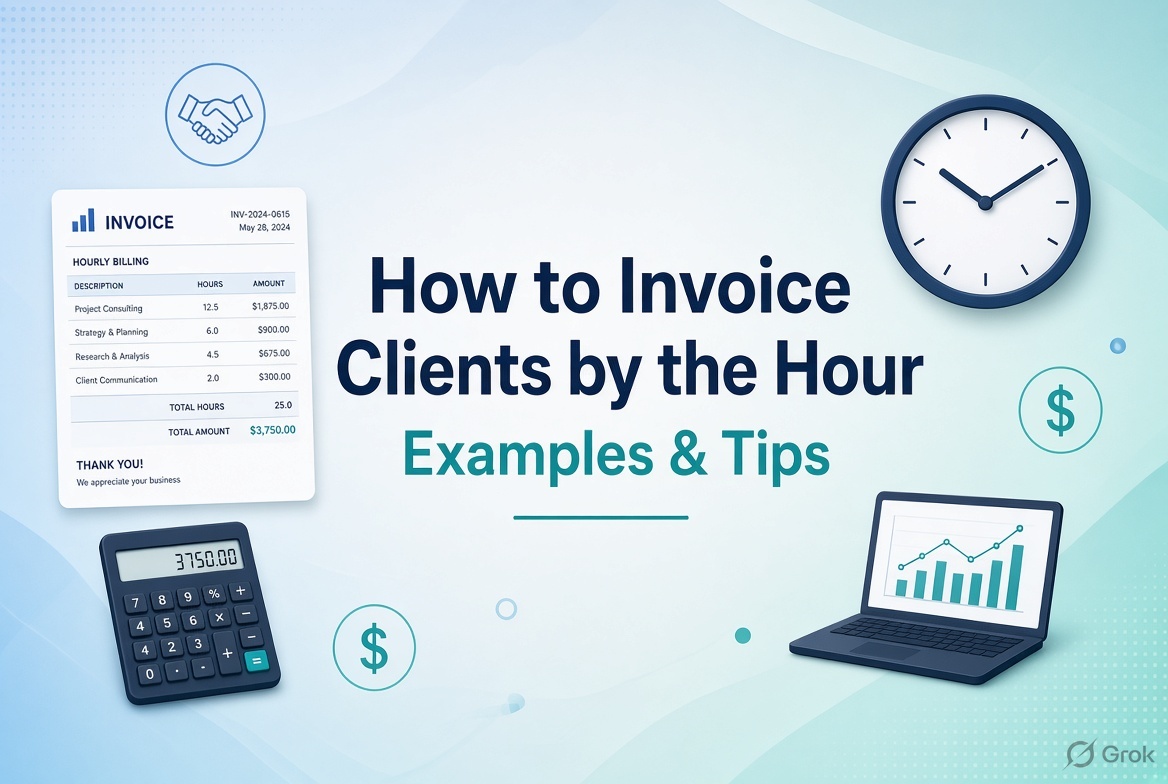
When you charge clients by the hour, your invoice needs to show more than the final amount. Clients should be able to understand how much time you worked, what you worked on, the hourly rate you agreed on, and how you calculated the total.
A clear hourly invoice reduces confusion, helps clients review your work, and makes it easier to resolve questions about billing.
To invoice a client by the hour, list the work performed, billable hours, agreed hourly rate, and amount for each task. Add the subtotal, any applicable taxes or approved expenses, and the total amount due.
This guide explains how to calculate billable hours, create an hourly invoice, present time entries, and handle common billing situations. It includes copyable examples for freelancers, consultants, and small service businesses.
What Is an Hourly Invoice?
An hourly invoice is a payment request that calculates charges using the number of billable hours multiplied by an agreed hourly rate.
For example, if you provide consulting services for 6 hours at $75 per hour, your service charge is:
6 hours × $75 = $450
If you perform several different tasks at different rates, list each task separately and add the amounts to calculate the subtotal.
Hourly invoicing is common for:
-
Freelancers and independent contractors
-
Business and marketing consultants
-
Graphic and web designers
-
Software developers
-
Virtual assistants
-
IT support providers
-
Professional service businesses
Hourly billing is particularly useful when the amount of work varies or the client pays for time spent on specific tasks.
What Should an Hourly Invoice Include?
An hourly invoice should explain who is billing the client, what work was performed, how the charges were calculated, and when payment is expected.
Include these details:
-
Your business information: Your name or business name and relevant contact details.
-
Client information: The correct client or company billing details.
-
Invoice number: A unique identifier for the invoice.
-
Invoice date: The date the invoice was issued.
-
Payment due date: The agreed date for payment.
-
Billing period: The dates during which the work was performed.
-
Description of work: A clear explanation of each task or service.
-
Billable hours: The time charged for each task.
-
Hourly rate: The agreed rate for the relevant work.
-
Line-item amounts: The hours multiplied by the applicable rate.
-
Additional charges and taxes: Include only those that apply and are permitted under your agreement.
-
Total amount due and payment instructions: The amount the client owes and how to pay.
For a complete overview of invoice details, see What Should an Invoice Include? 10 Essential Elements of a Professional Invoice.
How to Calculate Billable Hours
Billable hours are the hours you charge a client for work performed under your agreement.
The basic formula is:
Billable amount = Billable hours × Hourly rate
Suppose you are a freelance designer charging $60 per hour.
| Task | Billable hours | Hourly rate | Amount |
|---|---|---|---|
| Website layout design | 3.5 | $60 | $210 |
| Image editing | 1.5 | $60 | $90 |
| Client revisions | 2 | $60 | $120 |
| Total | 7 | $420 |
Your total service charge is $420 before any applicable taxes, discounts, or approved additional charges.
Step 1: Record the time spent on each task
Track the time as you work rather than estimating all your hours at the end of the month. Record the task, date, start and end times where appropriate, and total time spent.
Step 2: Identify billable and non-billable work
Not every minute spent running your business is necessarily billable. Whether meetings, research, administration, travel, or revisions can be charged depends on your agreement with the client.
Make your billing policy clear before starting work.
Step 3: Convert minutes into decimal hours
Many clients prefer time recorded in decimal hours.
| Time worked | Decimal hours |
|---|---|
| 15 minutes | 0.25 |
| 30 minutes | 0.50 |
| 45 minutes | 0.75 |
| 1 hour 15 minutes | 1.25 |
| 1 hour 30 minutes | 1.50 |
| 2 hours 45 minutes | 2.75 |
For example, 1 hour and 30 minutes equals 1.5 hours. At $80 per hour, the charge is $120.
Step 4: Apply the agreed rounding policy
Some service providers bill in six-minute increments, while others bill in 15-minute increments or use another agreed method. Use the method specified in your contract and apply it consistently.
Do not round each task in a way that creates unexpected charges. Make your approach clear to the client.
How to Create an Hourly Invoice Step by Step
1. Confirm your hourly rate
Check the rate agreed with the client. If different tasks have different rates, list the correct rate for each task.
Do not change your rate without the appropriate agreement.
2. Choose the billing period
Identify the period covered by the invoice, such as October 1–15, 2026, or the full month of October 2026.
This is especially useful when you provide ongoing services or submit invoices regularly.
3. Describe the work performed
Use clear, specific descriptions instead of vague entries.
| Avoid this description | Use a clearer description |
|---|---|
| Consulting | Marketing strategy consultation |
| Design work | Homepage layout and visual design |
| Development | Website form development and testing |
| Admin work | Client project coordination and status reporting |
| Research | Competitor research for the client's project |
Descriptions should reflect the work actually performed. You do not need to include every minor action, but the client should be able to understand the billed services.
4. Enter hours and calculate each line item
Multiply the billable hours by the agreed rate.
For example:
-
Research: 2.5 hours × $70 = $175
-
Consultation: 1 hour × $70 = $70
-
Report preparation: 3 hours × $70 = $210
Subtotal: $455.
5. Add applicable expenses and taxes
If your agreement allows reimbursement for expenses, show approved expenses separately from your hourly service charges.
Calculate and display applicable taxes according to the rules that apply to your business and transaction. Do not assume that every freelancer or service is subject to the same tax treatment.
6. Include payment terms
State the payment deadline and the payment methods you accept. If your agreement specifies Net 15, Net 30, or another arrangement, use the agreed terms.
Learn more in Invoice Payment Terms Explained: Net 15, Net 30, Due on Receipt, and More.
7. Review and send the invoice
Before sending, check the hours, rates, arithmetic, client information, invoice number, billing period, and due date. Save a copy for your records.
For a broader walkthrough, read How to Create an Invoice: A Complete Guide for Small Businesses.
Hourly Invoice Example for a Freelancer
Imagine you are a freelance marketing consultant who worked on a client's account for one week.
Your agreed rate is $75 per hour.
Sample invoice
From: ABC Marketing Consulting
Bill To: Bright Retail Ltd.
Invoice Number: INV-2026-031
Invoice Date: October 16, 2026
Billing Period: October 5–9, 2026
Payment Due: October 31, 2026
| Description | Hours | Rate | Amount |
|---|---|---|---|
| Marketing performance analysis | 3 | $75 | $225 |
| Campaign planning | 2.5 | $75 | $187.50 |
| Client strategy meeting | 1 | $75 | $75 |
| Reporting and recommendations | 2 | $75 | $150 |
| Total | 8.5 | $637.50 |
Subtotal: $637.50
Taxes: As applicable
Total amount due: $637.50 before applicable taxes or other agreed charges.
Payment terms: As agreed with the client.
This format allows the client to see how the total was calculated without having to request a separate breakdown.
The names, rates, dates, and amounts above are examples only.
Copyable Hourly Invoice Template
Use this template as a starting point for your own invoice.
HOURLY SERVICE INVOICE
From: [Your Name or Business Name]
Email: [Your Email Address]
Client: [Client or Company Name]
Invoice Number: [Unique Invoice Number]
Invoice Date: [YYYY-MM-DD]
Billing Period: [Start Date–End Date]
Due Date: [YYYY-MM-DD]
| Description of Work | Date or Period | Hours | Hourly Rate | Amount |
|---|---|---|---|---|
| [Task 1] | [Date] | [Hours] | [Rate] | [Hours × Rate] |
| [Task 2] | [Date] | [Hours] | [Rate] | [Hours × Rate] |
| [Task 3] | [Date] | [Hours] | [Rate] | [Hours × Rate] |
Subtotal: [Amount]
Approved Expenses: [Amount, if applicable]
Discount: [Amount, if applicable]
Tax: [Amount, if applicable]
Total Amount Due: [Final Amount]
Payment Terms: [Agreed Payment Terms]
Payment Instructions: [Accepted Payment Method]
Notes: [Relevant Project or Billing Details]
Before sending the invoice, replace the placeholders and verify that the total matches your records.
How Much Should You Charge Per Hour?
Your hourly rate should reflect the value of your work, your experience, your operating costs, the complexity of the service, and the market in which you work.
There is no universal hourly rate for freelancers. A software developer, virtual assistant, designer, and business consultant may charge very different rates.
Consider these factors when setting your rate:
-
Your skills and experience
-
The complexity and responsibility of the work
-
Your business expenses and software costs
-
Time spent on non-billable activities
-
The client's budget and the value of the service
-
Typical rates for comparable work in your market
-
Taxes, insurance, and other business obligations where applicable
Remember that your hourly rate is not necessarily the same as the amount you earn for every hour you spend working. Time spent on marketing, administration, training, and finding clients may not be billable.
Once you and your client agree on a rate, state it clearly in your contract or written agreement.
Should You Show Every Hour on an Invoice?
For many hourly engagements, a task-level breakdown is useful. It helps the client understand the work performed and check the charges.
However, the appropriate level of detail depends on the agreement and the nature of the service.
For example, an invoice could group related tasks into categories such as research, consultation, implementation, and reporting. Another client may require individual time entries with dates and descriptions.
Follow any reporting requirements specified in the contract. Keep detailed time records available in case the client asks for clarification.
For confidential work, describe services accurately without exposing sensitive information that does not belong on the invoice.
Should You Attach a Timesheet to an Hourly Invoice?
A timesheet is a record of time spent on tasks or projects. It can support your invoice by showing dates, hours, and descriptions of the work.
Attach a timesheet when the client requests one, your contract requires it, or the extra detail will help the client approve the charges.
A useful timesheet includes:
-
Date worked
-
Client or project
-
Task description
-
Start and end time, where appropriate
-
Total time recorded
-
Billable hours
-
Notes or approval details, if required
The invoice should still show the total amount due and the essential billing information. The timesheet supports the calculation rather than replacing the invoice.
Common Hourly Invoicing Mistakes to Avoid
1. Using vague task descriptions
Entries such as “work,” “support,” or “miscellaneous” may leave clients unsure about the charges. Describe the services clearly.
2. Forgetting the billing period
When you invoice regularly, state the dates covered. This helps the client match the invoice to the relevant project and records.
3. Charging for unapproved work
Check the scope of your agreement before billing for additional tasks, meetings, or expenses. Get approval when required.
4. Calculating decimal hours incorrectly
Remember that 30 minutes is 0.5 hours, not 0.3 hours. Verify conversions and line-item calculations before sending an invoice.
5. Changing the rate without agreement
Use the agreed rate unless a change has been approved under the terms of your engagement.
6. Forgetting to keep records
Keep copies of invoices, time entries, approvals, and payment records. A consistent filing system makes it easier to answer billing questions.
See How to Organize Invoices for a simple filing process.
7. Not following up on unpaid invoices
If the payment deadline passes, confirm that the payment has not already arrived and send a polite reminder.
Read How to Track Invoices and Payments to monitor due dates and outstanding balances, or use our guide to following up on an unpaid invoice.
How to Create an Hourly Invoice Online for Free
You do not need to design an invoice layout from scratch every time you bill a client.
An online invoice generator can help you prepare a professional invoice by entering your details, the client's information, service descriptions, rates, and payment terms.
For hourly billing, make sure the invoice clearly displays the work description, hours, rate, and line-item amount. If you need to provide a detailed timesheet, keep that document separately or attach it as required by your client.
You can use the free online invoice generator at Invoice-Generator.in to create an invoice without signing up.
For more instructions, see How to Make an Invoice Online for Free.
Frequently Asked Questions
How do I invoice a client by the hour?
List each billable task, the hours worked, and the agreed hourly rate. Multiply the hours by the rate, add the line items, include applicable charges and taxes, and state the final amount due and payment deadline.
What is the formula for an hourly invoice?
The basic formula is:
Billable hours × Hourly rate = Service charge
For example, 5 hours at $80 per hour equals $400 before taxes, discounts, or other agreed charges.
How do I convert minutes into billable hours?
Divide the number of minutes by 60. For example, 45 minutes divided by 60 equals 0.75 hours. Apply your agreed time-rounding policy consistently.
Should I round up my billable hours?
Use the billing increments and rounding policy agreed with the client. Do not introduce unexpected rounding rules after the work is complete.
Should I include meetings on an hourly invoice?
You can bill for meetings when they fall within the agreed scope of billable work. Make the policy clear to the client before the meeting takes place.
Do I need to attach a timesheet to an hourly invoice?
Not always. Attach a timesheet when required by your agreement or requested by the client. Keep accurate time records even when you do not submit them with every invoice.
Can I charge different hourly rates for different tasks?
Yes, if the rates are agreed with the client. Show each task with its corresponding rate and amount so the calculation is clear.
What payment terms should I use for hourly work?
Use the payment terms agreed with the client. Depending on the arrangement, you may invoice weekly, biweekly, monthly, or at another agreed interval.
Can I create an hourly invoice for free?
Yes. You can create one using a document template, spreadsheet, or online invoice generator. Choose a method that provides the information your client needs.
Final Thoughts
Hourly invoicing works best when your records are accurate and your invoice is easy to understand. Track your time as you work, describe each task clearly, apply the agreed rate, and check the calculations before sending the invoice.
Use a consistent invoice format and keep supporting time records when needed. These simple practices help you explain your charges, reduce billing disputes, and maintain a professional relationship with your clients.
When you are ready to bill for your next project, use the free online invoice generator to prepare an invoice without signing up.
Ready to send your next invoice?
Free, no sign-up, print-ready PDF in under a minute.