Invoice
Recurring Invoices: What They Are, Examples, and How to Use Them
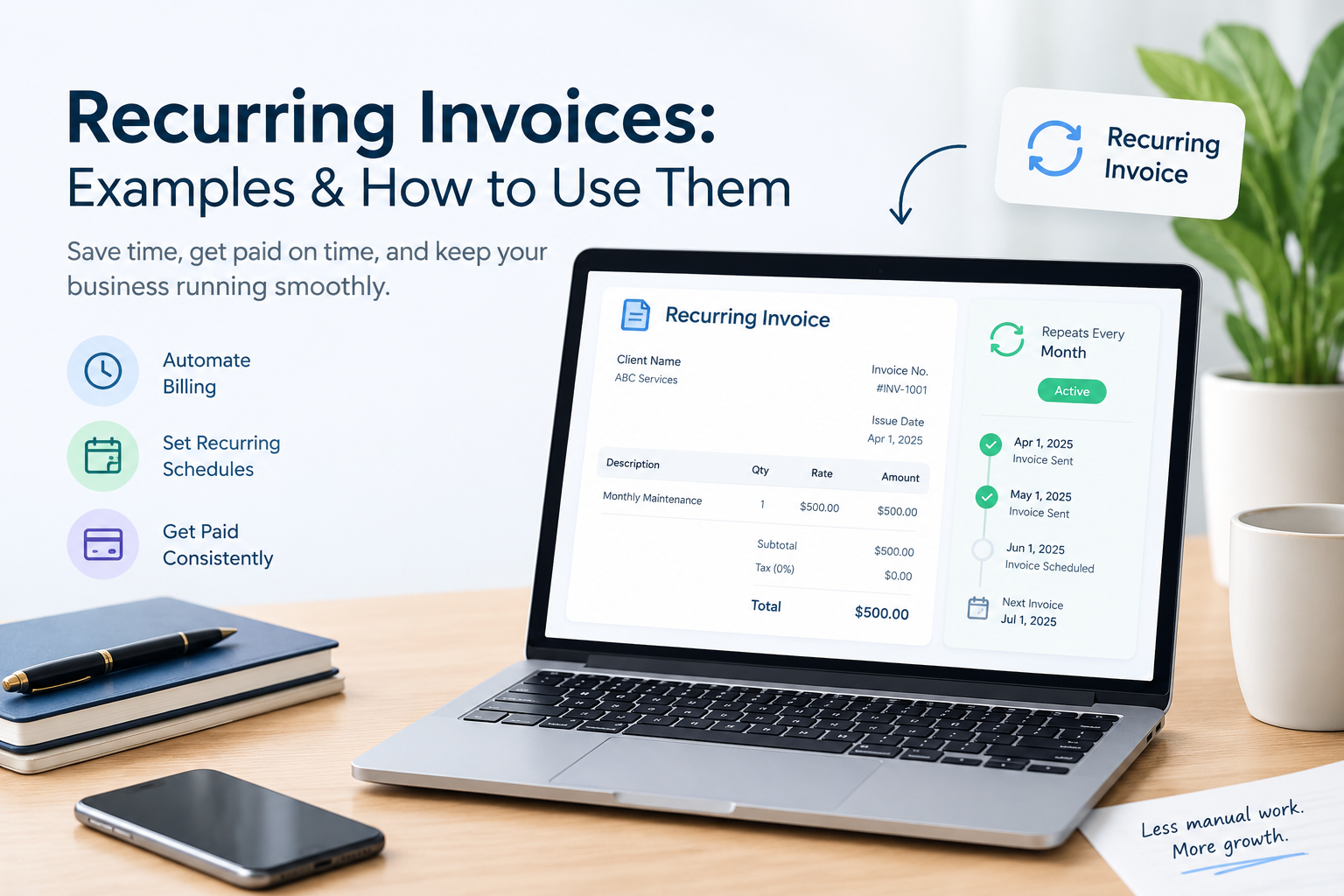
If you charge the same customer regularly, creating a new invoice from scratch every month can waste time. A recurring invoice helps you bill for repeat services using a consistent schedule and format.
Recurring invoicing is useful for consultants, freelancers, agencies, maintenance providers, and other businesses that charge customers weekly, monthly, quarterly, or annually.
In this guide, you'll learn how recurring invoices work, when to use them, what to include, and how to manage repeat billing without missing an invoice.
What Is a Recurring Invoice?
A recurring invoice is an invoice issued repeatedly according to an agreed billing schedule. It is commonly used for ongoing services, subscriptions, retainers, maintenance plans, and regular service agreements.
For example, a marketing consultant who charges a client $1,000 every month may issue an invoice for the same amount on the first day of each month.
The service, price, and billing schedule may stay the same, although the invoice date, invoice number, and billing period change.
If you're new to invoicing, our guide on how to create an invoice explains the essential details to include.
How Does Recurring Invoicing Work?
Recurring invoicing follows a repeatable process:
-
Agree on the service, price, billing frequency, and payment terms.
-
Choose the billing schedule.
-
Prepare the invoice with the correct customer and service details.
-
Issue the invoice according to the agreed schedule.
-
Track its due date and payment status.
-
Repeat the process for the next billing period.
Depending on the tool you use, recurring invoicing may be manual or automated.
With manual recurring invoicing, you prepare and send each invoice yourself. With recurring billing software, invoices may be generated automatically on scheduled dates. Payment collection may require a separate feature or customer authorization.
Important: Automatically generating an invoice does not necessarily mean the customer will be charged automatically. Invoice creation, invoice delivery, and payment collection are different processes.
Examples of Recurring Invoices
Recurring invoices are useful whenever a business provides a service or product on a continuing basis.
|
Business type |
Example billing arrangement |
|---|---|
|
Marketing agency |
Monthly marketing retainer |
|
Freelance designer |
Monthly design support |
|
IT service provider |
Monthly maintenance plan |
|
Cleaning company |
Weekly or monthly cleaning services |
|
Consultant |
Monthly advisory services |
|
Software business |
Monthly or annual subscription |
|
Property maintenance provider |
Regular maintenance agreement |
The billing frequency should match the agreement with the customer. Not every recurring service needs to be billed monthly.
What Does a Recurring Invoice Look Like?
Consider a marketing consultant who provides ongoing SEO support for a small business.
SERVICE INVOICE
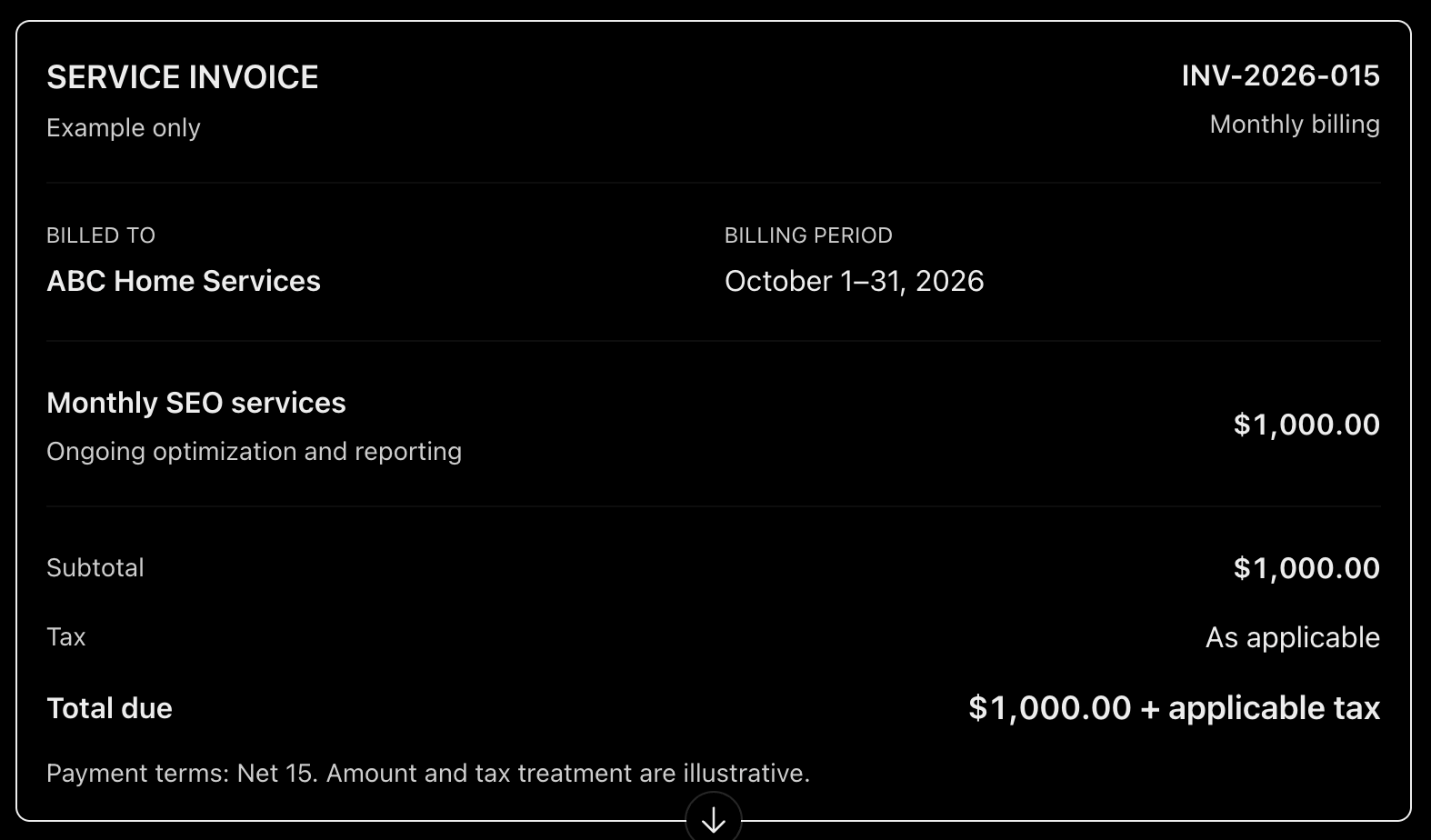
$1,000.00 + applicable tax
Payment terms: Net 15. Amount and tax treatment are illustrative.
Each new invoice should have its own unique invoice number and the correct billing period. If the service or price changes, update the invoice rather than blindly copying the previous one.
For more details on invoice numbering, see How to Number Invoices.
How to Set Up a Recurring Invoice
You can set up recurring invoicing with a simple manual process or a tool that supports scheduled billing.
1. Confirm the billing agreement
Before issuing recurring invoices, agree on:
-
The service or product being billed
-
The amount charged each period
-
The billing frequency
-
The invoice issue date
-
The payment due date
-
Applicable taxes and additional charges
-
How changes, cancellations, and price adjustments will be handled
Document these details in your service agreement or other appropriate written record.
2. Choose a billing schedule
Choose a schedule that matches your agreement.
For example:
-
Weekly: Every Monday
-
Monthly: On the first day of each month
-
Quarterly: At the beginning of each quarter
-
Annually: On the agreed renewal date
For monthly billing, decide how to handle months with fewer days. A schedule set for the 31st, for example, needs a clear rule for February and other shorter months.
3. Prepare the invoice template
Create a standard invoice layout containing your business details, customer information, service description, payment terms, and payment instructions.
You can start with our guide to the essential elements of a professional invoice.
4. Decide whether to invoice manually or automatically
Manual invoicing can work well when you have a few recurring customers. Set a calendar reminder, prepare the invoice, check its details, and send it on schedule.
Automated invoicing may be more suitable when you have many customers or frequent billing cycles. Choose software that supports the features you actually need, such as scheduled invoice generation, delivery reminders, payment tracking, and recurring payment collection.
5. Review each invoice before sending it
Even if you reuse a template, check the customer name, invoice number, billing period, amount, tax treatment, due date, and payment details.
This is especially important when the service changes or the customer has requested an adjustment.
How to Calculate the Amount on a Recurring Invoice
For a fixed-price service, the calculation is straightforward:
Total due = Service amount − applicable discounts + applicable taxes and charges
Suppose a business charges $600 per month for maintenance services.
|
Calculation |
Amount |
|---|---|
|
Monthly service fee |
$600.00 |
|
Discount |
$0.00 |
|
Tax |
As applicable |
|
Total before applicable tax |
$600.00 |
If the monthly fee changes, or if additional work is billed separately, show the charges clearly.
For a recurring service billed at an hourly rate, the amount may vary each month depending on the hours worked. For project work, billing may instead depend on milestones or agreed progress payments.
See our guides on how to invoice clients by the hour and how to invoice for a project for these billing methods.
Tax rules vary by location and transaction. If you need help understanding taxable amounts, discounts, or tax-inclusive prices, link to our invoice tax calculation guide after that article is published and the URL is live.
Recurring Invoice vs. One-Time Invoice
The main difference is how often the invoice is issued.
|
Feature |
Recurring invoice |
One-time invoice |
|---|---|---|
|
Billing frequency |
Repeated on an agreed schedule |
Issued for a particular transaction or billing event |
|
Common use |
Retainers, subscriptions, ongoing services |
One-off projects, product sales, individual jobs |
|
Amount |
May stay fixed or vary |
Depends on the specific transaction |
|
Invoice creation |
Manual or automated |
Usually prepared for that transaction |
|
Review required |
Yes, for every billing period |
Yes, before sending |
Recurring invoicing does not mean that every invoice must have the same amount. Some businesses charge a fixed monthly fee, while others bill based on usage or work completed.
Common Recurring Invoice Mistakes to Avoid
1. Reusing the same invoice number
Every invoice should have a unique identifier. Do not send a new invoice with the same number as the previous billing period.
2. Forgetting to update the billing period
A monthly invoice should clearly identify the month or service period it covers.
3. Using outdated prices
Review the agreed service fee and any approved price changes before issuing the next invoice.
4. Charging for cancelled services
Keep your customer and billing records updated so that cancelled or paused services are not billed incorrectly.
5. Assuming invoices will be paid automatically
Sending an invoice does not guarantee payment. Track outstanding balances and follow up when necessary.
Our guide on how to track invoices and payments explains how to monitor due dates and payment status.
6. Ignoring payment terms
Make the payment deadline clear. If a customer misses the deadline, follow the agreed process and send an appropriate reminder.
Read Invoice Payment Terms Explained for common payment arrangements, or see how to follow up on an unpaid invoice.
7. Failing to maintain invoice records
Save each invoice and update its payment status. A consistent filing system makes it easier to review billing history and prepare business records.
Learn how to organize invoices for a practical filing approach.
Can You Create Recurring Invoices With a Free Invoice Generator?
A free online invoice generator can help you prepare individual invoices without building a document from scratch.
For example, you can use Invoice-Generator.in to create an invoice, enter customer and service details, check the totals, and prepare a professional document without signing up.
If you bill the same customer every month, you can use a consistent template or saved details where your workflow allows it. You will still need to manage the billing schedule and issue each invoice unless your chosen tool explicitly supports automated recurring invoices.
If you need invoices to be generated and sent automatically, or want to collect recurring payments, check whether your billing software supports those specific features.
Frequently Asked Questions
What is a recurring invoice?
A recurring invoice is issued repeatedly on an agreed schedule for ongoing services, subscriptions, or other repeat transactions.
How often should recurring invoices be sent?
The frequency depends on your agreement with the customer. Common schedules include weekly, monthly, quarterly, and annually.
Does a recurring invoice have the same invoice number every month?
No. Each invoice should have its own unique invoice number, even when the customer, service, and price remain the same.
Are recurring invoices and recurring payments the same?
No. A recurring invoice requests payment for a billing period. A recurring payment is a payment collected automatically according to an agreed arrangement. A business may use recurring invoices without automatic payment collection.
Can the amount on a recurring invoice change?
Yes. The amount can change when the agreement allows for variable usage, additional services, approved price changes, discounts, or other adjustments. Explain the charges clearly on each invoice.
Do small businesses need recurring invoicing software?
Not always. Businesses with a small number of recurring customers may manage invoices manually with a calendar reminder and a consistent template. Automated billing software becomes more useful as billing volume and complexity grow.
Final Thoughts
Recurring invoices help businesses maintain a consistent billing schedule, reduce repetitive work, and make ongoing charges easier for customers to understand.
Start by agreeing on the service, price, frequency, and payment terms. Then use a consistent invoice format, assign a unique number to every invoice, and review each billing period before sending it.
For more practical invoicing advice, explore the Invoice-Generator.in Blog
Ready to send your next invoice?
Free, no sign-up, print-ready PDF in under a minute.